
The South African HR Document Dilemma
As an HR manager in South African real estate, you're juggling multiple compliance documents daily. SARS tax forms for payroll, CIPC company registration updates, FICA verification documents, POPIA compliance records, BEE certificates, and SA ID copies - each with specific retention requirements. The problem? These documents need to remain readable and accessible for years, sometimes decades, but standard PDFs can become corrupted or unreadable over time. When SARS requests a 7-year-old tax document or CIPC needs verification of historical registration details, you can't afford to have unreadable files.
You need a solution that ensures your critical HR documents remain exactly as they were when created, with all text, formatting, and embedded information preserved indefinitely. This isn't just about organization - it's about legal compliance and risk management in the South African regulatory environment.

What is PDF/A and Why It Matters for Compliance
PDF/A is an ISO-standard archival format specifically designed for long-term preservation. Unlike regular PDFs, PDF/A files are self-contained - they embed all fonts, don't rely on external resources, and avoid features that could cause problems over time. For South African HR managers, this means:
- SARS compliance: Tax documents remain readable for the required retention period
- CIPC requirements: Company registration documents preserve their original formatting
- FICA documentation: Client verification records stay intact for anti-money laundering audits
- POPIA compliance: Personal information records maintain their integrity and security
- BEE verification: Certificates and supporting documents remain valid for verification
The PDF to PDF/A tool converts your standard PDFs into this archival format using Ghostscript, ensuring they meet ISO standards for long-term preservation. It's the digital equivalent of putting important paper documents in acid-free folders for permanent storage.
Step-by-Step: Convert Your Documents to PDF/A
Converting your HR documents to PDF/A format is straightforward. Here's exactly how to do it:
- Prepare your document: First, ensure your SARS form, CIPC registration, or other document is in PDF format. If you have Word documents or scanned images, use our Word to PDF or Image to PDF tools first.
- Access the tool: Go to PDF to PDF/A on PDF Master.
- Upload your PDF: Click the upload area and select your document. The tool accepts single .pdf files - perfect for individual SARS returns or CIPC submissions.
- Wait for conversion: The tool processes your file using Ghostscript to convert it to PDF/A compliant format. This ensures all fonts are embedded and the file structure meets archival standards.
- Download your archival file: Once conversion is complete, download your new PDF/A file. This is now ready for long-term storage and will remain readable for decades.
For example, when preparing documents for SARS eFiling, convert your completed ITR12 forms to PDF/A before archiving. This ensures that if SARS requests verification in five years, the document will open exactly as it did when submitted.
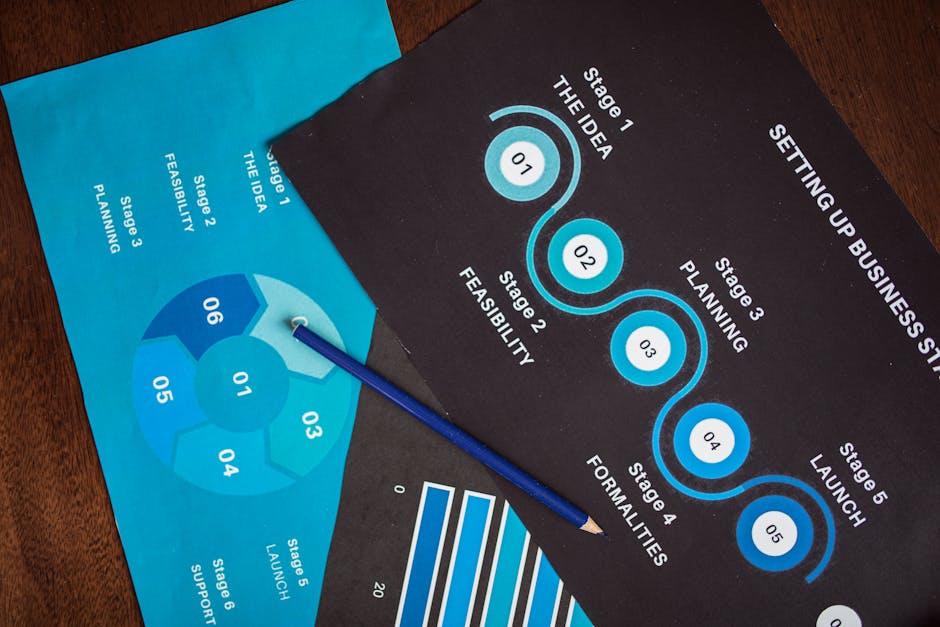
Complete HR Document Workflow
Here's how PDF/A conversion fits into your complete document management process:
Step 1: Document Creation & Collection
Start with your source documents - completed SARS forms, signed CIPC templates, verified FICA documents, POPIA compliance records, and BEE certificates. Ensure all information is accurate and complete.
Step 2: Digital Preparation
If you have paper documents, scan them and use Image to PDF to create digital versions. For electronic forms, use PDF Form Fill to complete them digitally without printing.
Step 3: File Optimization
Large scanned documents can be optimized using PDF Compress Pro. Choose the appropriate quality level - 'Screen' for internal reference copies, 'Printer' for documents that might need physical printing later.
Step 4: PDF/A Conversion
This is the critical archival step. Use PDF to PDF/A to convert your optimized documents to archival format. Do this for all compliance documents that require long-term retention.
Step 5: Organization & Storage
Name your PDF/A files clearly (e.g., "2024_SARS_ITR12_PDF-A.pdf") and store them in your secure document management system. The PDF/A format ensures they'll remain accessible regardless of future software changes.
Other Essential Tools for HR Managers
While PDF/A conversion is crucial for archival, several other tools can streamline your HR document workflow:
PDF Form Fill
Perfect for completing SARS tax forms, CIPC registration templates, and other government forms digitally. Upload the PDF form, fill in the fields that appear, and download the completed version. No printing, handwriting, and scanning required.
PDF Compress Pro
Scanned ID copies and document bundles can create large files. This tool reduces file size while maintaining quality. Use 'Screen' quality for documents that will only be viewed on screens, 'Printer' for documents that might need physical printing.
PDF Merge
Combine multiple related documents - like a BEE certificate with supporting documentation, or a POPIA compliance file with all associated records. Create organized, complete files for each compliance area.
PDF Password Protection
Add security to sensitive documents containing personal information protected under POPIA. Password-protect files before sharing or storing them.

Frequently Asked Questions
How long should I keep South African HR documents in PDF/A format?
Retention periods vary: SARS documents typically require 5 years, employment records 3 years after termination, and some company registration documents permanently. Convert all compliance documents to PDF/A at creation or receipt, and maintain them according to South African legal requirements. The PDF/A format ensures they remain readable throughout the entire retention period.
Can I convert scanned documents to PDF/A?
Yes, but you need to convert them to PDF first. Scan your paper documents, then use Image to PDF to create a standard PDF. Once you have a PDF, use PDF to PDF/A to convert it to archival format. This two-step process ensures your scanned SARS forms, signed contracts, and other paper documents are preserved in compliant format.
What's the difference between PDF and PDF/A for CIPC submissions?
For active CIPC submissions, use standard PDF format as required by their online system. However, for your internal records and archival copies of what you submitted, convert to PDF/A. This ensures your copy of the CIPC registration document remains exactly as submitted, with all information preserved for future reference or audit purposes.
Can I edit a PDF/A document after conversion?
PDF/A is designed as a preservation format, not an editing format. If you need to make changes, work with your original document, make the edits, then create a new PDF/A version. This maintains the integrity of your archival records while allowing necessary updates. For minor corrections, you might need to go back to your source document and recreate the PDF/A file.



