
The PDF Problem in Architecture HR
As an HR manager in an architecture firm, you're juggling resumes in different formats, creating offer letters, managing contractor invoices, and organizing project documentation. The problem? Everything needs to be in PDF format for consistency, security, and professional presentation—but you don't have time to learn complex software or deal with format compatibility issues.
Architects send resumes as Word documents, designers submit portfolios as image collections, and contractors email invoices in various formats. You need everything standardized, organized, and professional-looking without spending hours on document formatting.
Here's how to solve these common PDF problems using free online tools that work directly in your browser—no downloads, no installations, no software licenses required.
Step 1: Convert Architectural Resumes to PDF
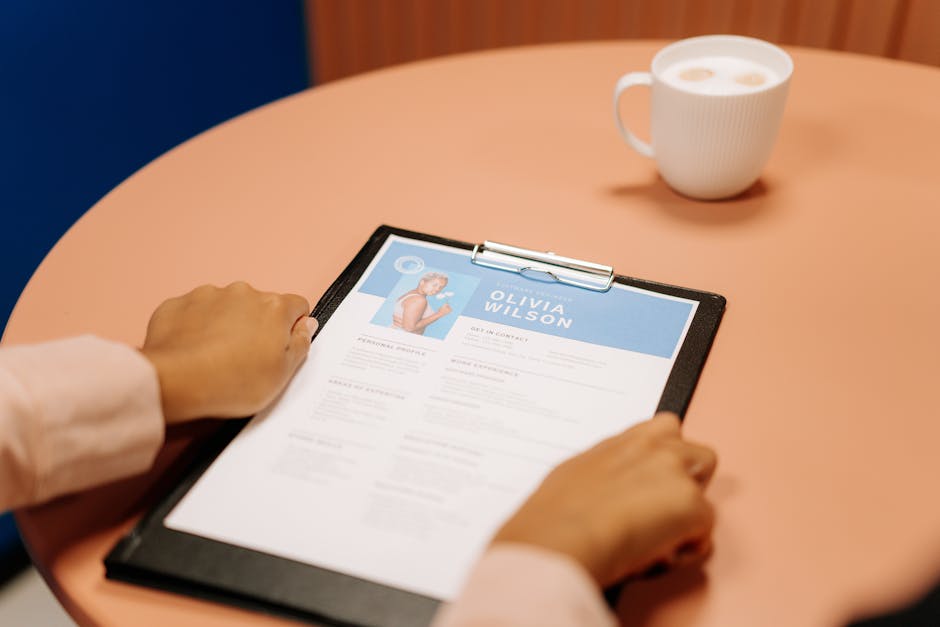
When reviewing candidates for architecture positions, you receive resumes in Microsoft Word (.doc, .docx), OpenDocument (.odt), and sometimes Rich Text Format (.rtf). Each candidate uses different formatting, fonts, and layouts. To maintain consistency in your applicant tracking system and ensure documents display correctly for all hiring managers, convert everything to PDF.
Here's the exact process:
- Go to Word to PDF for Microsoft Word documents
- Upload the .doc or .docx file from your computer
- Click the Convert button
- Download the standardized PDF resume
For other formats, use the corresponding tools: ODT to PDF for OpenDocument files or RTF to PDF for Rich Text Format documents. The conversion preserves the original formatting while creating a universal PDF that looks identical on every device.
When architects submit portfolio images, use Image to PDF to combine multiple JPG or PNG files into a single PDF portfolio document. Upload the images, arrange them in order, and generate a professional portfolio PDF for review.
Step 2: Create and Format HR Documents
You need to create offer letters, policy acknowledgments, and internal communications quickly. Instead of opening Word and dealing with formatting issues, use PDF Generation to create documents directly from your text.
Here's how to create an offer letter:
- Navigate to PDF Generation
- Paste your offer letter text into the content box
- Choose formatting options: select a professional font, set appropriate margins, adjust text size
- Click Generate PDF
- Download the finished PDF document
This tool is perfect for creating simple text-based documents without worrying about Word compatibility or formatting inconsistencies. You can generate confidentiality agreements, policy updates, or meeting agendas in minutes.
For more advanced document creation, use AI Cover Letter to help candidates improve their applications or AI CV Generator to assist with resume enhancement when providing feedback to applicants.
Step 3: Generate Professional Invoices
Architecture firms work with freelance designers, structural engineers, and specialized contractors who need to be paid. Instead of asking them to use specific accounting software, you can generate professional invoices yourself using Invoice Generator.
Follow these steps to create contractor invoices:
- Choose one of the four templates: Modern, Classic, Minimal, or Corporate
- Enter your firm's details (company name, address, contact information)
- Add the contractor's information
- List line items with descriptions, quantities, and prices
- Apply tax rates and discounts (automatically calculated)
- Generate and download the invoice as a PDF
The tool automatically calculates totals, applies taxes, and creates a professional layout with your company information. You can save the PDF, print it, or email it directly to accounting. This ensures all contractor invoices follow the same format with your firm's branding.

Step 4: Manage and Organize PDF Files
Once you have all your HR documents in PDF format, you need to organize and manage them efficiently. Here are specific tools for common HR tasks:
Combine multiple documents: When creating employee files, use PDF Merge to combine the signed offer letter, completed tax forms, and policy acknowledgments into a single PDF. Upload all the files, arrange them in order, and merge them into one organized document.
Reduce file size: Large portfolio PDFs from architects can be massive. Use PDF Compressor to reduce file size while maintaining quality for emailing or uploading to your HR system.
Add page numbers: For multi-page policy documents or employee handbooks, use Page Numbering to add consistent page numbers to every page.
Protect sensitive information: When sharing salary information or confidential documents, use PDF Password Protection to add password security before emailing.
Fix corrupted files: If a candidate's resume PDF won't open, try PDF Repair to fix the damaged file.
All these tools work directly in your browser—upload, process, and download. No files are stored on servers, ensuring document privacy and security.
Frequently Asked Questions
Can I convert Excel spreadsheets with architect salary data to PDF?
Yes, use Excel to PDF to convert .xls or .xlsx files containing salary data, budget information, or hiring timelines into PDF format. This preserves the spreadsheet formatting while creating a secure, non-editable document for distribution or archiving.
How do I handle architectural drawings or plans sent as PDFs?
For large architectural drawings, use PDF Compress Pro with quality presets to reduce file size while maintaining clarity. If you need to extract images from PDF plans, use PDF to Images to convert pages to JPG or PNG format for presentations or markups.
Can I create standardized forms for architecture job applications?
Yes, create forms using PDF Generation with text fields marked for completion. Candidates can then fill them using PDF Form Fill. For final submission, use PDF Flatten to merge all form data into a single, non-editable PDF layer.
How do I archive old employee records for long-term storage?
Use PDF to PDF/A to convert standard PDFs to the ISO-standard PDF/A format designed for long-term preservation. This ensures employee records remain accessible and visually unchanged for years, meeting archival requirements for HR documentation.



