
The Paperwork Problem in Architecture HR
As an HR manager in an architecture firm, you're juggling more than just talent—you're managing mountains of paperwork. Every new hire needs onboarding forms: tax documents, emergency contacts, benefits enrollment, and firm-specific agreements. Project staff might need confidentiality agreements for sensitive client work. Compliance requires regular safety acknowledgments or training records.
Traditionally, this meant printing forms, chasing signatures, scanning completed documents, and filing both digital and physical copies. It's time-consuming, prone to errors, and creates storage headaches. In an industry where design happens digitally, why should HR paperwork lag behind?
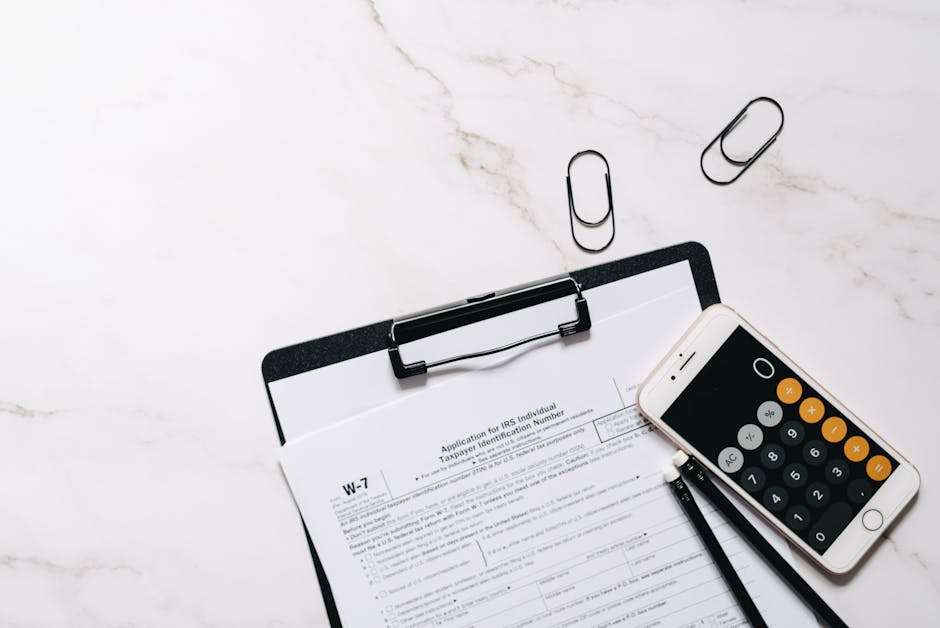
Your Digital Solution: PDF Form Fill
Meet your new workflow assistant: PDF Form Fill. This browser-based tool lets you complete interactive PDF forms entirely online—no printing, no scanning, no manual filing. Upload any PDF with form fields (like those .pdf tax forms or your firm's custom onboarding packet), fill everything in digitally, and download a completed, professional-looking PDF ready for signatures or filing.
The tool auto-detects text fields, checkboxes, and dropdown menus built into the PDF. You simply type directly into the browser, select options, and hit download. It preserves the original form layout while adding your entries cleanly. For architecture HR managers, this means turning hours of paperwork administration into minutes of focused digital work.
How to Fill Architecture HR Forms in 3 Steps
Here's exactly how to handle your next batch of employee forms:
- Upload your form: Go to PDF Form Fill and upload your PDF. This could be a W-4, your firm's new hire checklist, a project confidentiality agreement, or a safety training acknowledgment. The tool accepts any single .pdf file with interactive form fields.
- Fill in the fields: The tool detects and displays all form fields. Click into each text field and type the employee's information. Check boxes for benefits selections or acknowledgments. Use dropdowns for state selections or department choices. Everything happens right in your browser.
- Download and distribute: Click to download the completed PDF. You now have a filled-in form ready to email to the employee for electronic signature (using your firm's preferred method) or to file directly in your digital records.
That's it—from paper pile to digital file in under five minutes.

Real HR Tasks Made Simple
Let's apply this to specific architecture HR scenarios:
Onboarding new architects or designers: Instead of handing new hires a stack of 15 forms on their first day, email them the filled-out versions with their personal information already completed. They just need to review and sign. Use PDF Form Fill to pre-populate their name, start date, department, and other standard details across all forms consistently.
Project-based compliance: When staff join a government or sensitive commercial project, they often need signed confidentiality agreements. Upload your firm's standard NDA, fill in the project name and dates digitally, and send for signature before access is granted.
Annual renewals: Benefits enrollment, safety training acknowledgments, or policy updates that require annual re-acknowledgment become simple digital processes. Fill once, distribute to all staff, and collect digital signatures.
Audit preparation: When compliance auditors request records, you can quickly provide neatly filled digital forms instead of digging through filing cabinets or poorly scanned documents.
Other Tools for Your HR Toolkit
While PDF Form Fill handles your form completion, these related tools help with other HR document tasks:
For converting scanned documents: When employees submit signed forms as photos or scans, use Image to PDF to combine multiple images (like front and back of a driver's license) into a single PDF for clean filing.
For web-based resources: Need to archive online training completion certificates or benefit portal pages? HTML to PDF converts any web page URL into a PDF document for permanent records.
For email-friendly files: Large scanned documents can bounce from email. Use PDF Compressor to reduce file size while keeping them readable before sending to employees or external partners.
Together, these tools create a complete digital workflow for architecture HR—from document creation to distribution to archiving.

Frequently Asked Questions
Can I save a partially filled form and complete it later?
No, PDF Form Fill works in a single browser session. You upload, fill, and download. For long forms, we recommend having all information ready before starting. You can always download a partially completed PDF and re-upload it later to continue where you left off.
What if my PDF doesn't have interactive form fields?
The tool only works with PDFs that have built-in interactive fields (created in tools like Adobe Acrobat). If you have a regular PDF without fields, you would need to add fields first using PDF editing software, or use a different approach like printing and scanning after manual completion.
Can employees fill out their own forms with this tool?
Absolutely. You can send them the link to PDF Form Fill along with the blank form PDF. They upload it themselves, fill in their information, and download the completed version to return to you. This works well for remote architects or designers who aren't in the office.
Is there a way to make forms fillable if they aren't already?
PDF Master doesn't currently have a tool to add form fields to existing PDFs. You would need to use dedicated PDF editing software to create the interactive fields first. Once the fields exist, our tool can fill them efficiently.



